
Your whole tour operation in one app
Bookings, departures, drivers, guides, passenger lists and customer messages. A private system built around the workflows you already run, connected to your booking platform.
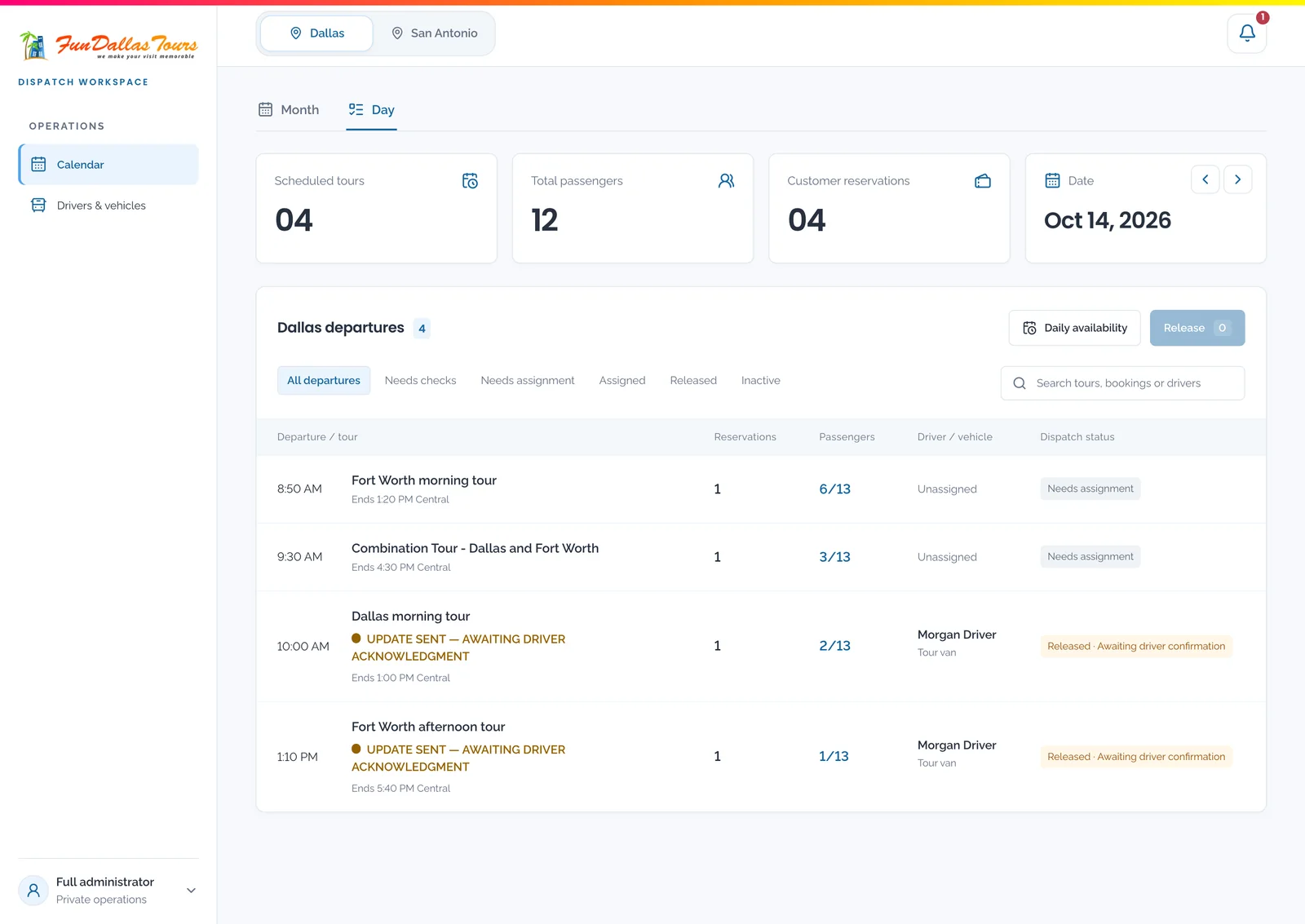
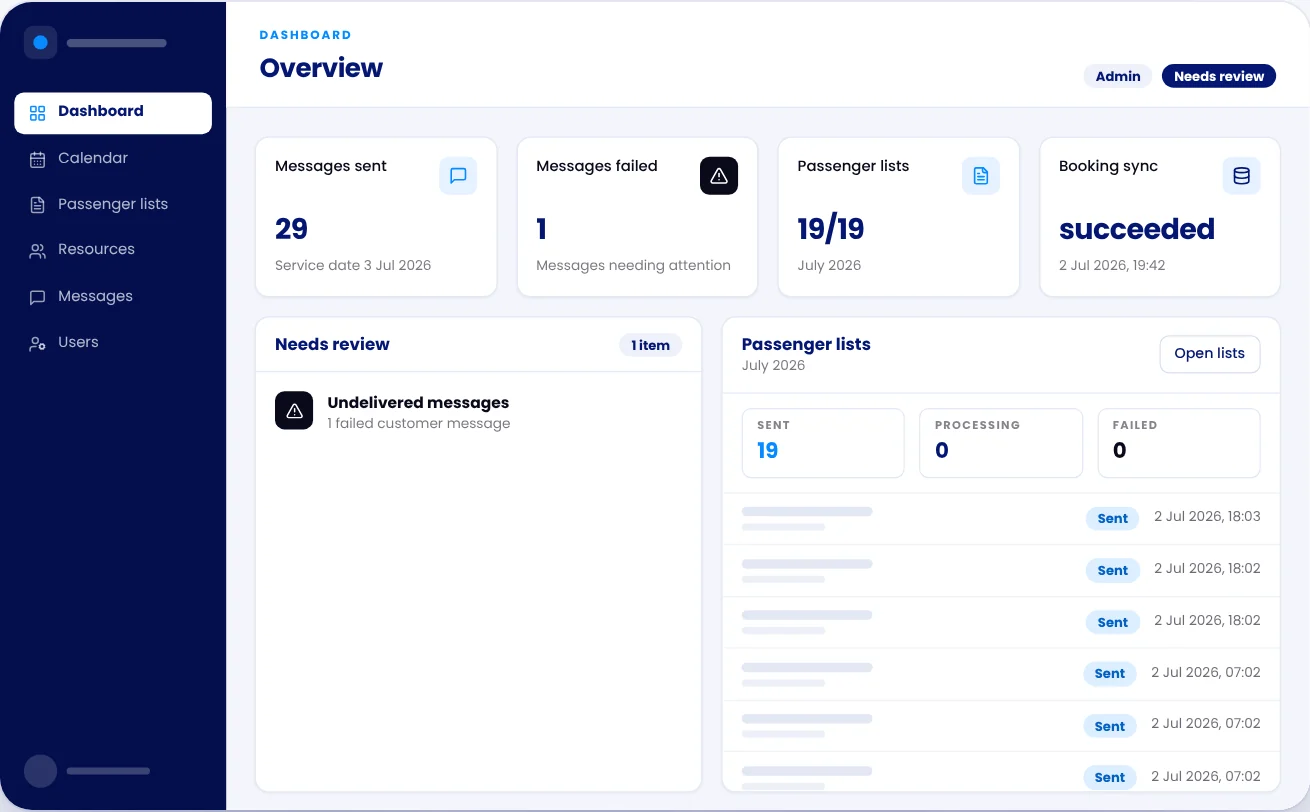
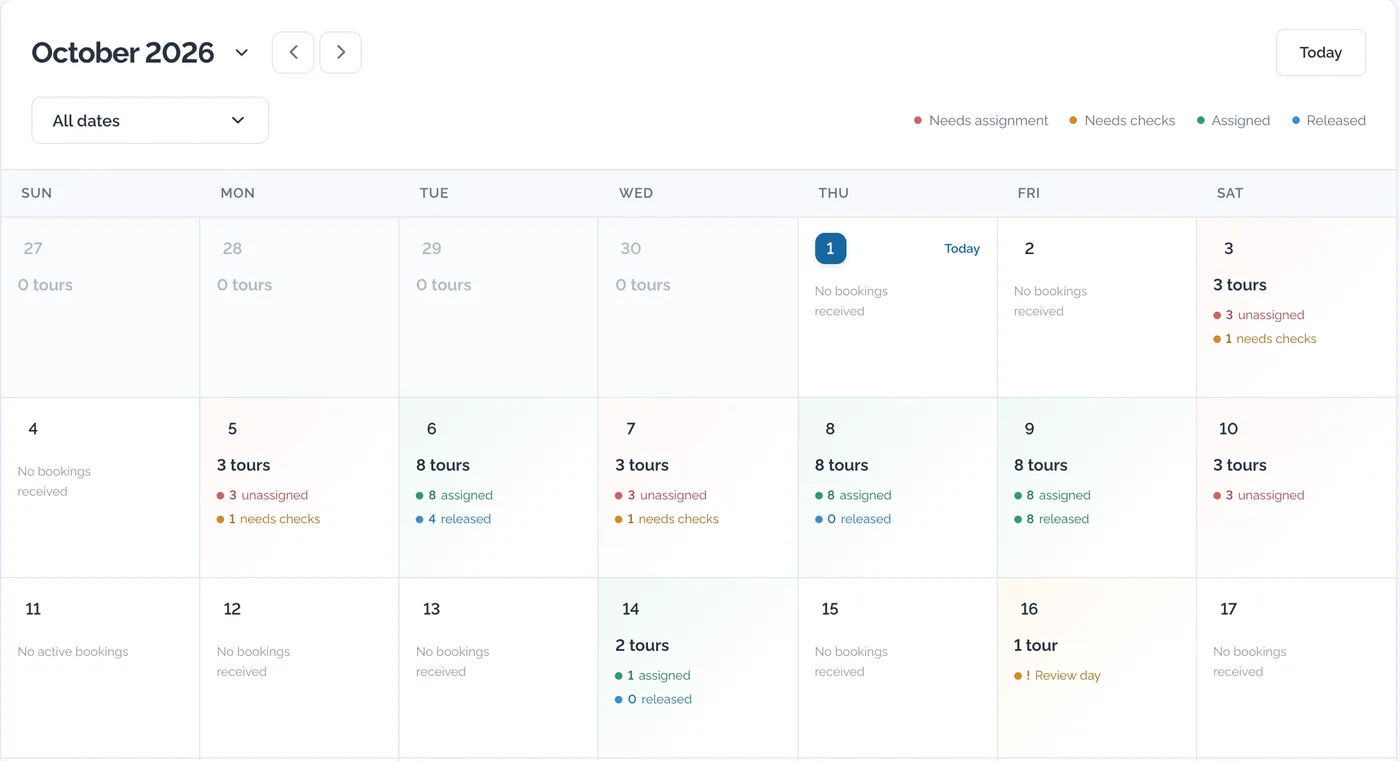
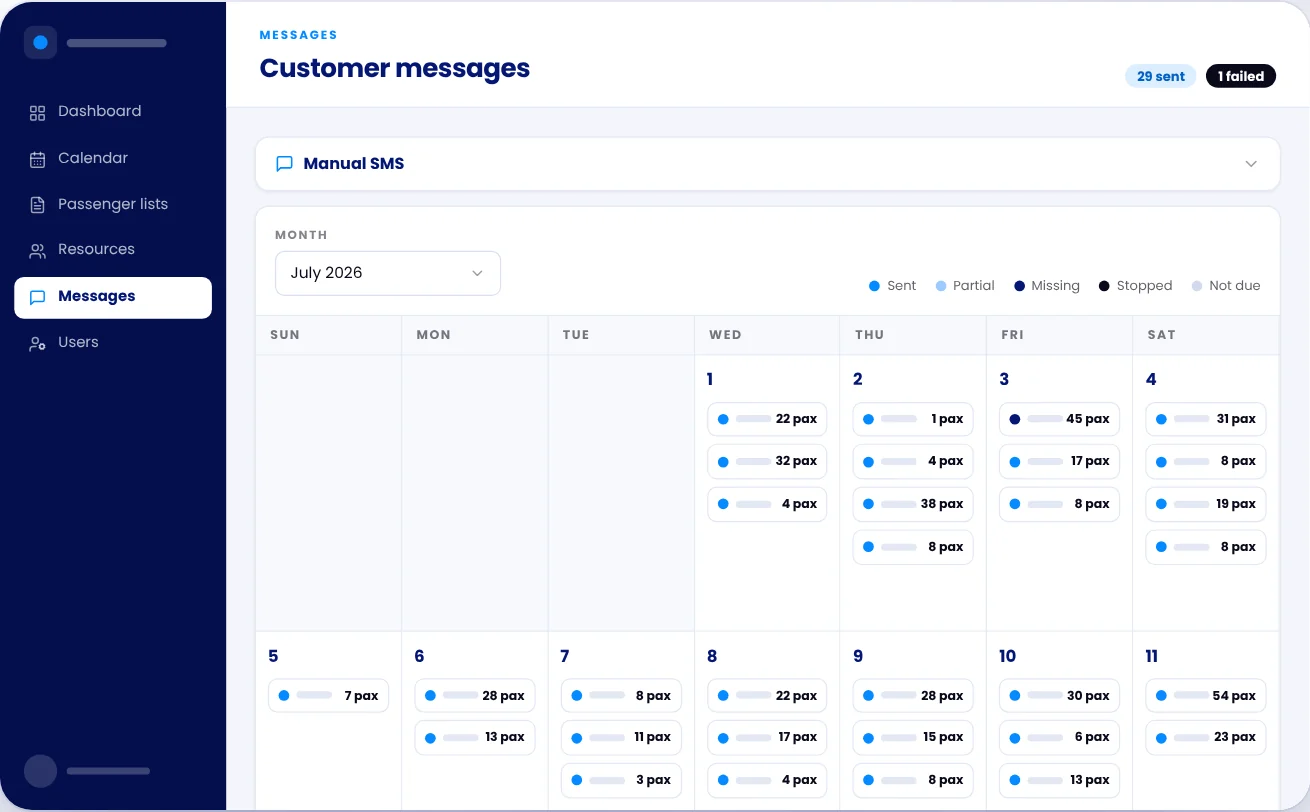
Today's departures · drivers, vehicles and capacity at a glanceOperations status · messages, lists and booking syncMonthly planning · each city in its own workspaceWhatsApp + backup SMS · no customer left uninformed
First conversation, no strings attached: we look at how you work today.




- Texas & ItalyDallas, San Antonio, Venice
- Booking-connectede.g. FareHarbor, no switch
- WhatsApp + SMSwith automatic fallback
- Desktop & mobileoffice, drivers and guides
Where it starts
The day works, but only because someone checks everything by hand
A tour operator's processes usually already work. What's missing is visibility: information sits in different places, and the day gets done because someone pieces it together every day.
Tap the ones that sound familiar
Then this page is for you.These are exactly the points we've solved. Send them to us as they are.
Send on WhatsAppTwo projects, one method
Two tour operators, two markets, the same foundation
01Case study FunDallas Tours
Tour planning and driver dispatch
A web app to manage bookings, driver and vehicle assignments and list releases in Dallas and San Antonio. The day's plan changes as new bookings arrive: the team has to track shared departures, passenger counts and vehicle capacity across two cities.

- Where
- Dallas, San Antonio (Texas)
- What
- Desktop and mobile web app
- Booking
- Connected to FareHarbor
- Scope
- Design and development
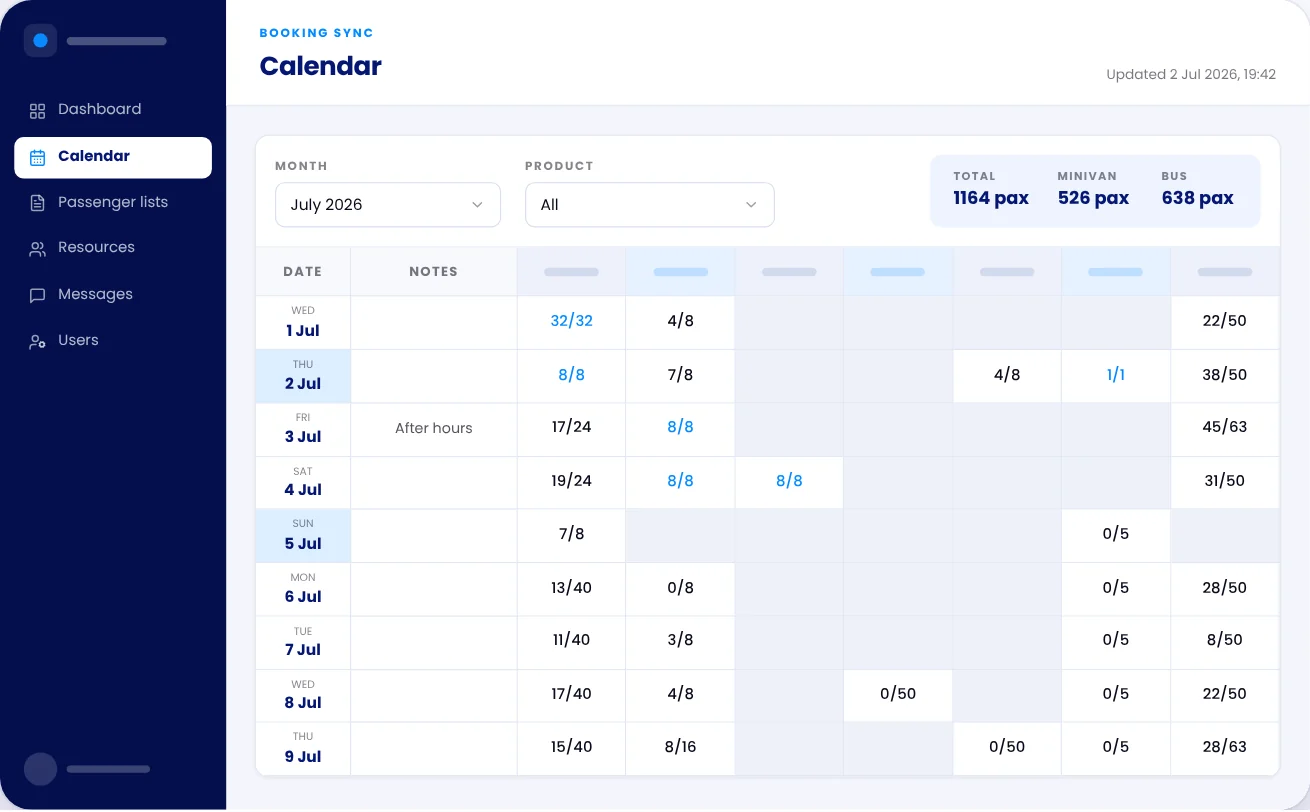
A calendar to plan every day
The month view shows activity by date. Opening a day shows its departures and assignments.
- City workspacesDallas and San Antonio each have their own workspace, with the same controls.
- Dispatch statusWhich tours need an assignment, which lists have been released, which drivers have confirmed.
- Departure detailsBookings, driver and vehicle choice, capacity check.
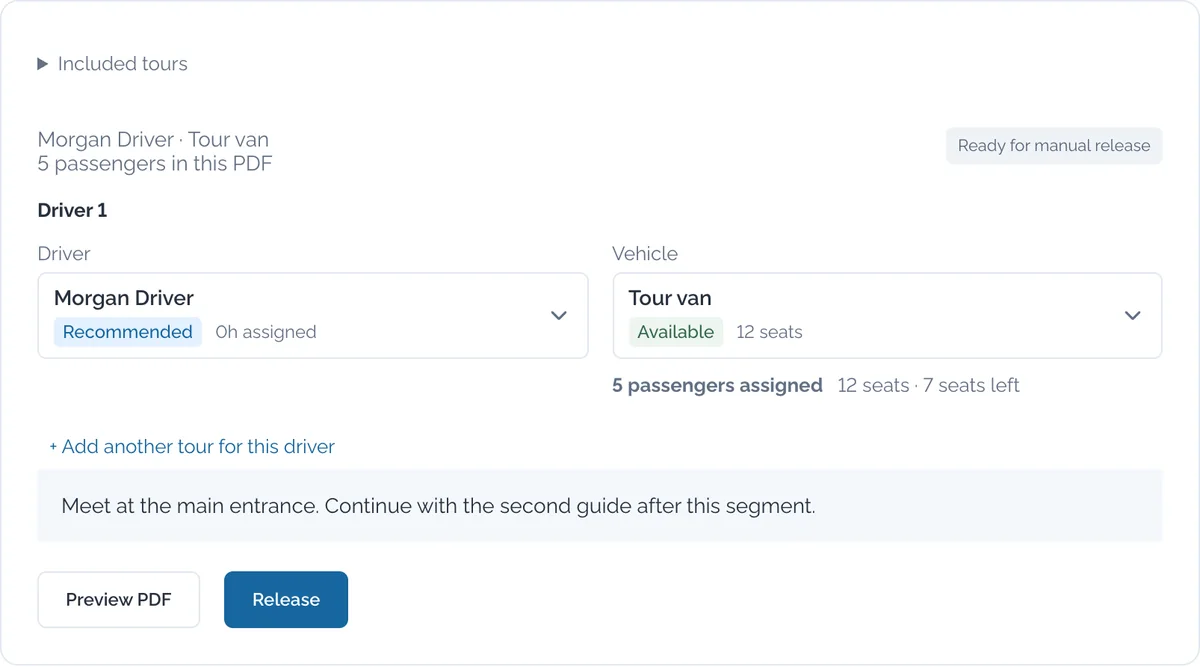
Shared assignments, scheduled updates
Eligible new bookings join the assigned driver's list when there's room. Automatic releases follow the configured schedule, and exceptions stay visible for the manager.
- Shared driver and vehicleCompatible tours share one assignment; one PDF can cover several departures.
- Manual control when neededEdit, check capacity, preview the PDF and release manually.
Prepares and releases lists for the next day's tours.
Brings overnight booking changes into the plan.
Releases changes within the configured window.
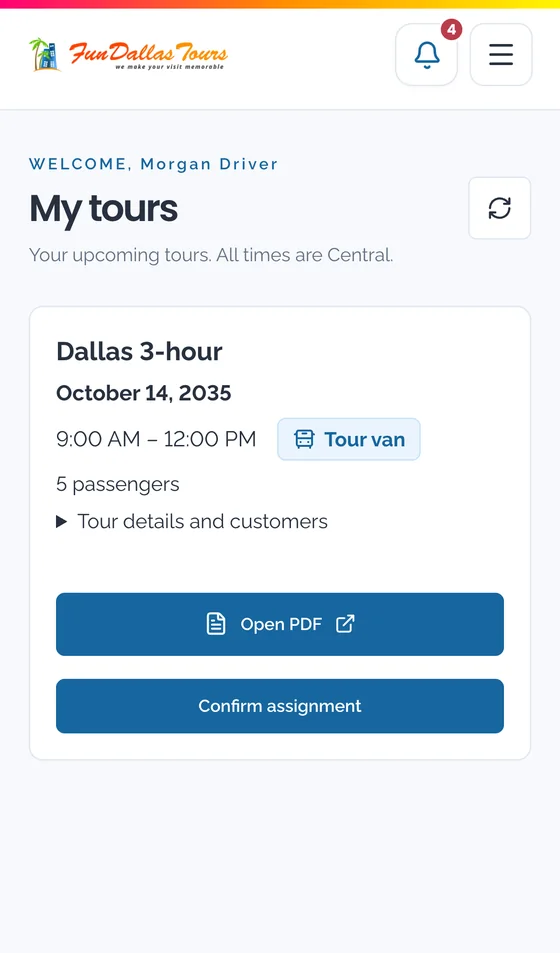
Tour information on the driver's phone
Drivers see upcoming tours, passenger details and released PDFs. They confirm the assignment, so the office knows it's been acknowledged.
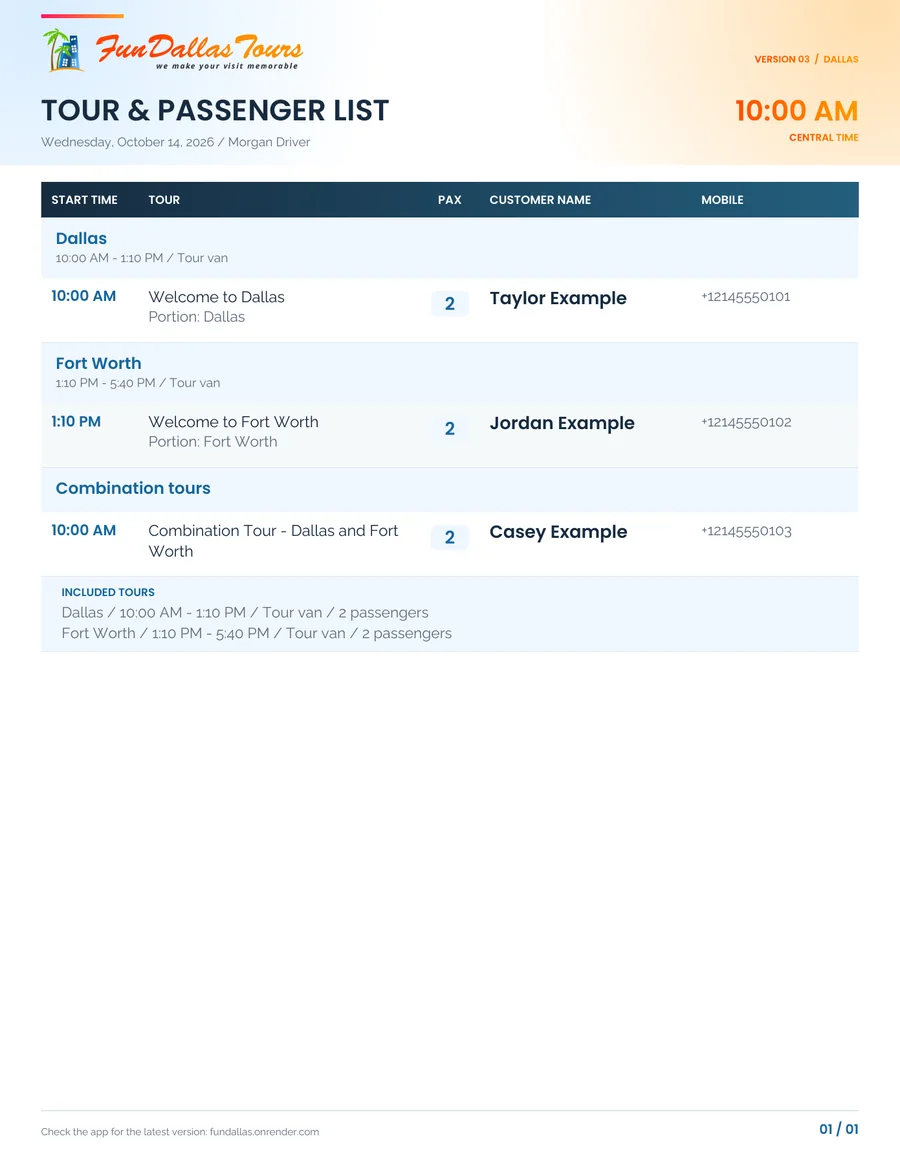
- Combination bookingsEach combination booking appears once, with its included tour portions listed together.
- Release and confirmation trackedEach PDF has a version number; release and driver confirmation are tracked separately.
Screens and documents use fictional demo data, including customer and driver details.
02Case study BeaVita Tours
A tour operator's whole day in a single app
Bookings, capacity, passenger lists, guides and drivers, WhatsApp and SMS customer messages: all checked by hand in different places. Now the team sees the status of everything and acts from one place.

- Where
- Venice and Veneto, Italy
- What
- Private web dashboard
- Channels
- WhatsApp, SMS, PDF
- Scope
- Design and development
The five areas of the app
The screens below are operational views with the data hidden.
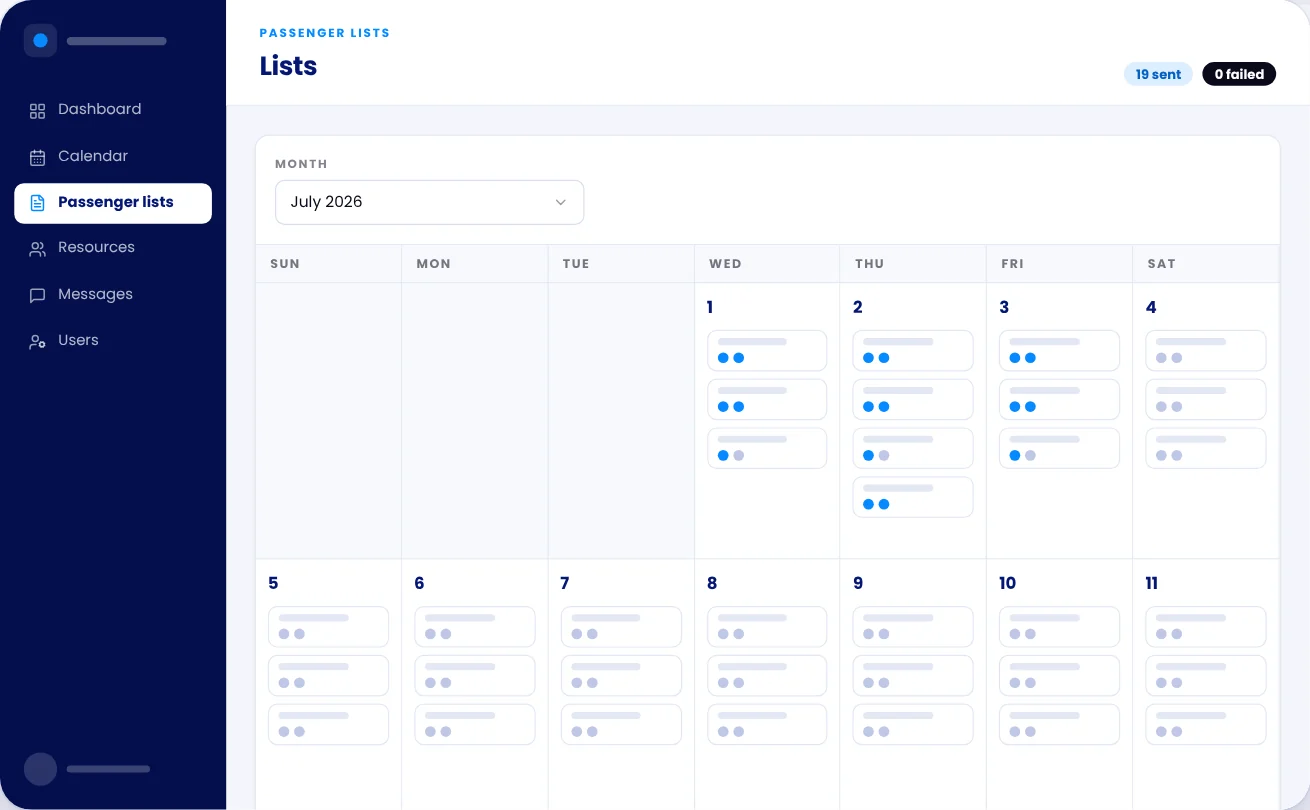
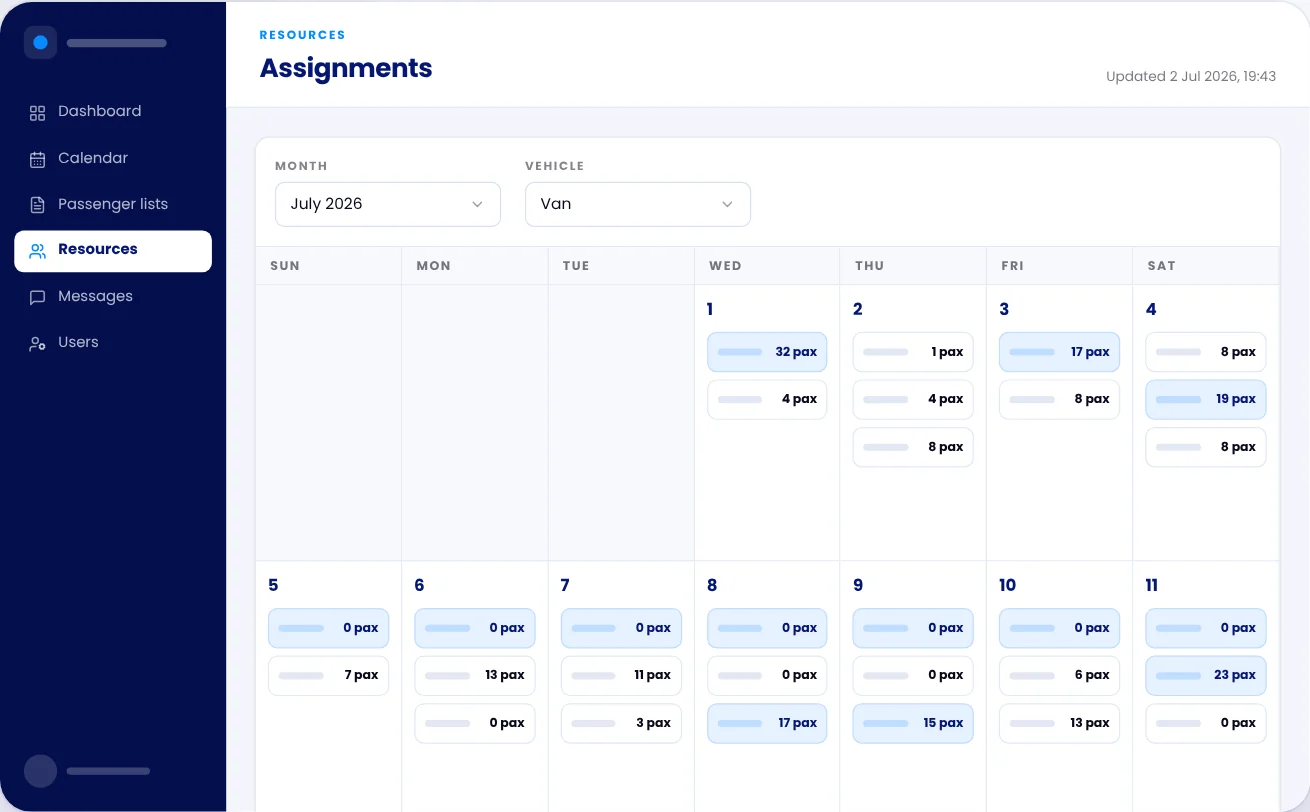
Operations status on one page
Status of messages, passenger lists and booking sync in a single summary: the team sees what needs attention without opening several systems.
Bookings and capacity by date
Bookings, capacity, notes, totals and alert states in a dense format, to quickly review the coming days and catch problems before they arrive.
Report status and secure PDF access
Report status by date and product: sent, scheduled, failed, stopped and resumed. Generated PDFs open or are shared through short, secure links.
Guide and driver assignments
Assignments by date and product, with separate views for vehicle needs, eligibility and chosen contacts. No more scattered notes.
WhatsApp, fallback SMS and manual alerts
Customer communication by service date: sent, failed, fallback and pending. Admins can send manual SMS alerts when an urgent update is needed.
What changed, in practice
BeforeTo get a view of the day, the team had to open bookings, chats and spreadsheets, one by one.
AfterOne screen shows everything: bookings, passenger lists, messages and guides.
BeforeIf a message to a customer didn't arrive, the team found out late, often when the customer called.
AfterMessages not delivered on WhatsApp are automatically delivered by SMS, and if that fails a notification appears.
BeforePassenger lists were prepared by hand and sent to guides by email or chat.
AfterLists become an auto-filled PDF and are shared automatically, in an orderly way, through a link that deletes itself after 24h.
BeforeTo warn customers about a last-minute change, someone had to message or call them one by one.
AfterAn SMS goes out to the customers involved in a few clicks from the dashboard.
BeforeWhich guide and which driver covered each tour was written in scattered sheets and notes. After the assignment, the most time-consuming part was communicating it.
AfterGuides and drivers are assigned in the calendar, next to the day's bookings, and the driver's screen updates automatically with the information they need.
What carries over
We don't copy the app, we reuse the pattern
Every tour operator has its own booking platform, its own way of handling guides and drivers, its own customer channels. What carries over is the method: connect the daily signals, show status clearly and give the team controlled actions from one private system.
Operations dashboard
Status of bookings, lists and messages, urgent alerts and recent activity.
Live at BeaVitaCalendar and capacity
Daily view by product, capacity, notes and alerts.
Live at FunDallas, BeaVitaDriver and vehicle dispatch
Shared assignments, seat checks, scheduled releases.
Live at FunDallasPassenger list PDFs
Generation, versions, release status and secure links.
Live at FunDallas, BeaVitaDriver and guide app
Assigned tours, passengers, PDFs and confirmation on the phone.
Live at FunDallasCustomer messaging
WhatsApp flows, backup SMS, manual alerts and delivery tracking.
Live at BeaVitaOperational analytics
Booking trends, capacity pressure, cancellations, product performance.
On requestReviews and QR
Review links, QR routing, source tracking and trends.
On requestHow we start
Four steps, your real workflow first
- 1
We map
How you handle bookings, passenger lists, guides, drivers and customer messages today.
- 2
We find the weak spots
The manual steps that create the most operational risk or waste the most time.
- 3
We build the first module
The first useful system, built around the workflows you already run every day.
- 4
We add only what's needed
Automation and reports only where they save real time or prevent real mistakes.
FAQ
Before you get in touch
Do I have to change my booking platform?
No. The system connects to the one you already use: for FunDallas Tours, for example, it reads bookings from FareHarbor. During mapping we check what yours allows.
Is it off-the-shelf or custom-built?
Custom, on a foundation already proven at two tour operators. You don't adapt to the software: we adapt the modules to your products, vehicles and channels.
Can drivers and guides use it on their phone?
Yes. At FunDallas, drivers see assigned tours, passengers and PDFs, and confirm the assignment from their phone.
How much does it cost?
It depends on the modules you actually need. After the first conversation and the mapping you get a written quote with modules and phases, before any commitment.
Do you work outside Italy?
Yes. We work in Italy and the United States, in Italian and English: FunDallas Tours operates between Dallas and San Antonio, Texas.
Next step
Your daily operation in one app
A first conversation to map your workflow and see where a custom system pays off most. If it doesn't make sense for you, we'll say so right away.
We reply in English and Italian.